Just packing – I’m moving house on Friday – and came across this.. Everyone has to start somewhere, I guess! 😉
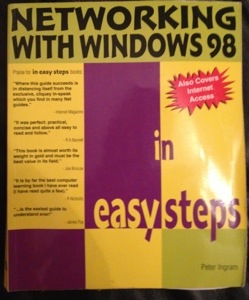
Just packing – I’m moving house on Friday – and came across this.. Everyone has to start somewhere, I guess! 😉
Had a situation with the 1250 Wireless Access Points in my office recently.
These have worked pretty much flawlessly since install, but recently we’d had issues with connectivity from an iPad 3 (specifically, a 4G model with 64GB storage – I’ve read about similar issues on forums that seemed to be manifesting themselves in iPads of a specific spec, but the issues weren’t the same as this).
Symptoms were that the device would stay connected to the WAPs for no more than around 10 minutes at a time – the WLAN had to be forgotten on the device, and then reconnected, and the same thing would happen again after 10 minutes.
Obtained the latest IOS for the device, and upgraded via HTTP using the web GUI – first mistake. On my models at least, it’s better to set up a TFTP server to retrieve the images from. I have an install of TFTPd32 which is infinitely useful in these sorts of circumstances.
First problem was that the install process seemed to take an incredibly long time – despite a pop-up window that loads saying that it’ll take between 5-15 minutes, the timer was still actually going 900+ minutes later (the next morning, by which time I’d obviously noticed something was awry!).
But I think the actual install caused a reboot after 11 minutes – I noticed this both on my network monitoring and with the continual ping I had going to the device. After it had rebooted the first time, it rebooted every 5-10 minutes after. Telnet / SSH access was possible initially, but after a few boots, it wasn’t possible to connect via any method. It was still wall-mounted at the time, and it was getting late, so I left it until the next day to unmount it from the wall and plug in a console cable.
I found that the upgrade had worked, but I’d used the “lightweight” version of the IOS for the device – I could see log messages saying that the device was searching the local subnet for a Wireless LAN Controller, which we don’t have in our environment. Once it does this for a fixed amount of time, it reboots using the IP address that was configured previously (this is one of the only bits of the config that was retained after the “upgrade”. A lightweight AP can’t be configured locally).
Once I saw reference to the WLC, I figured out what was going on, but prior to that, I thought the device had been “bricked” by the upgrade, and that that was the reason for the continual boot cycling. I obtained the correct IOS image, and used another method to replace the IOS image – holding the “Mode” button for 30 seconds, or until the Radio LED turns red – this process is detailed on the Cisco web site. Once that was done, I was able to restore the backed up configuration, and the device was once again functional.
The second time, I upgraded using the correct image, using the web GUI still, by via TFTP, and the whole process took 4 minutes to complete!
Lessons:
* As new wireless devices are released to market, your Cisco WAPs *will* need upgrading
* Remember that there may be both lightweight and autonomous images for the device – get the correct one
* Take a config backup from the device before upgrading
Decided to pursue the CCNP, starting off with SWITCH. This is much more relevant to my current job than ROUTE. To this end, I’ve so far purchased an online course from Career Match UK (www.careermatch-uk.com), which was a cool Groupon deal – £99 instead of about £1200. I’ve seen this in my Groupon offers a few times, so it will probably feature again. Although I haven’t got far through it yet, I’ve still had much less enthusiasm for it than for offline-CBT, purely because of convenience. This one uses Flash and requires an internet connection, *much* less convenient than video files that can be put on a phone / tablet.
I’ve also just puchased the Boson Netsim for CCNP. This covers all three exams, so is a worthwhile investment – I got a £50 discount too, due to the fact I bought their CCENT product a few years back. Bargain.
Will put some feedback for both up once I’ve used them a bit longer.
’nuff said.
 Jims' Network Diary - musings of a network admin